If your school has started asking for an ILAW lesson plan and you’re staring at the template wondering what goes in each box, this is the only guide you’ll need. We’ll cover what ILAW is, where it came from, when to use it instead of a DLL or DLP, and — most importantly — exactly what to write in every single field, with full worked samples you can adapt today.
We’ll also show you how to generate a complete, editable ILAW plan in about a minute using Skoolari’s DepEd mode, so you can spend your evenings resting instead of formatting tables.
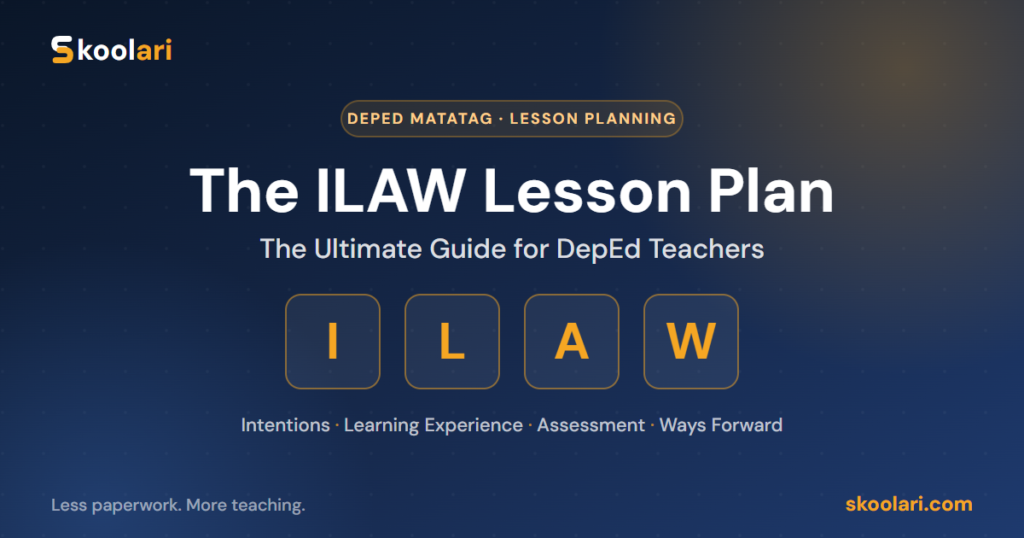
In a hurry? ILAW stands for Intentions · Learning Experience · Assessment · Ways Forward. It’s the MATATAG-era lesson plan introduced in DepEd’s Guidelines on Lesson Planning and Learning Design (Appendix A, DO 3, s. 2026). It organizes planning around the arc of a lesson (one or more sessions) instead of a day-by-day grid, and adds two things older formats never had: a Learner Context field and a required declaration of AI use.
What does ILAW stand for?
ILAW — fittingly, the Filipino word for “light” — names the plan’s four parts:
| Letter | Part | The question it answers |
|---|---|---|
| I | Intentions | What should learners master, and why? |
| L | Learning Experience | What will we actually do to get there? |
| A | Assessment | How will we know they learned it? |
| W | Ways Forward | What happens after the lesson? |
The name is intentional. A good lesson plan is meant to illuminate the path for both the teacher and the learner — to make the destination, the journey, and the checkpoints clear to everyone in the room.
The legal basis: DO 3, s. 2026
ILAW is not a viral template someone shared in a Facebook group — it’s an official format. It appears as Appendix A of the Guidelines on Lesson Planning and Learning Design, issued under DepEd Order No. 3, series of 2026. This order builds on the lesson-planning policy first set by DO 42, s. 2016, and updates it for the MATATAG curriculum.
Two practical implications follow from this:
- It carries weight in observations. Because ILAW is the official MATATAG-aligned format, school heads, master teachers, and observers using the Classroom Observation Tool (COT) will expect to see its specific fields — especially Learner Context, emergency alternatives, and the AI declaration.
- Adoption is rolling out, not uniform. During the MATATAG transition, divisions and schools adopt ILAW on different timelines and for different grade levels. The honest rule remains: follow your school head’s instruction.
Why DepEd introduced ILAW
The MATATAG curriculum decongested content so teachers could teach fewer competencies more deeply. The old DLL — a five-day grid repeating the same procedural rows each day — fights that philosophy. It quietly rewards box-filling over genuine lesson design.
ILAW reframes planning around how learning actually unfolds: you set intentions, design an experience, check for understanding, then plan what comes next. It also bakes in two modern realities the 2016 formats predate:
- Contextualization. Every class is different. ILAW forces you to name your learners’ strengths and struggles before you plan for them.
- Transparent AI use. Teachers now use AI tools to help prepare materials. ILAW doesn’t ban this — it asks you to declare it honestly.
ILAW vs. DLL vs. DLP: which one do you need?
This is the question every teacher asks first. Here’s the clear comparison:
| Format | Structure | Covers | Typical user | Page layout |
|---|---|---|---|---|
| DLL (Daily Lesson Log) | Weekly grid, Mon–Fri | One week | Teachers with ≥1 year service (DO 42, s. 2016) | Landscape |
| DLP (Detailed Lesson Plan) | One period, fully scripted | One lesson | New teachers, demo teaching | Portrait |
| ILAW | Four-part arc (I-L-A-W) | One or more sessions | MATATAG classrooms, esp. high school | Portrait |
The honest rule: use what your school head requires. Adoption varies by division and grade level during the transition, and many schools run DLL/DLP and ILAW side by side. The good news is you don’t have to choose a tool that only does one — Skoolari’s lesson plan generator offers DLL, DLP, and ILAW as format options, so you can match whatever your school asks for from the same screen. (For a deeper breakdown, see our DLL vs DLP vs ILAW guide.)
Who has to use ILAW?
There’s no single nationwide switch. In practice:
- MATATAG grade levels in the current rollout are the most likely to require ILAW.
- High school teachers are seeing it adopted earliest in many divisions, since the four-part arc suits longer, concept-driven lessons.
- New teachers and those doing demo teaching may still be asked for a fully scripted DLP for observation purposes.
- Experienced teachers in schools that haven’t transitioned may continue with the DLL for now.
When in doubt, ask your master teacher or department head which format your specific grade level and subject should submit this quarter — and keep all three in your toolkit.
The full structure of an ILAW plan
An ILAW plan has three layers:
- The identification block — who, what, when, how many sessions, and the AI declaration.
- The four parts — Intentions, Learning Experience, Assessment, Ways Forward.
- The reflections — written after teaching.
Let’s walk through every field.
The identification block, field by field
Before the four parts, ILAW opens with an identity table. Most fields are routine — school, teacher, learning area, grade and section, dates, references. Two deserve special attention:
- No. of Sessions. Unlike a DLL day, an ILAW plan can legitimately span multiple sessions. State how many, so your Flow can show how they build on each other.
- Declaration of AI use. New under DO 3, s. 2026. If AI helped draft the plan, you must say how. (We cover exactly what to write in the AI-use declaration section below.)
I — Intentions
This section establishes what learners will master and why. It has three fields.
Learning Competency
Copy the competency or competencies from the MATATAG curriculum guide verbatim, along with the applicable content and performance standards. Do not paraphrase — write them exactly as the curriculum states them, codes and all. Observers check this against the guide.
Learning Objectives
Break the competency into 2–4 smaller, observable targets learners can demonstrate by the end of these sessions. Use verbs you can actually check:
- ✅ Good: identify, compute, label, explain, construct, classify, demonstrate, trace
- ❌ Avoid: understand, appreciate, know, learn — you can’t observe these directly
Example. Competency: “Explain how the digestive system works.”
Objectives: (1) label the major organs of the digestive system; (2) describe the function of each organ in their own words; (3) trace the path of food using a simple diagram.
A practical tip: align your objectives to the cognitive levels of Bloom’s Taxonomy so your lesson moves from remembering toward analyzing and creating. (Our Bloom’s question stems guide has ready-made verbs for each level.)
Learner Context
The most human field in the entire form — and the one observers look for first. Describe how your class has been doing lately: strengths, interests, and barriers.
“The class enjoys group tasks but struggles with written explanations. Three learners need reading support, and two are advanced and finish early.”
This single field is what separates a real plan from a downloaded one. A blank or generic Learner Context is the clearest sign of a copy-pasted plan.
L — Learning Experience
The heart of the plan — what you and your learners will actually do. It has four fields.
Pre-Lesson
How will you get learners ready? Activate prior knowledge, set expectations, and run a quick readiness check. Keep it short and purposeful — this is the warm-up, not the main event.
Flow
Your step-by-step activities, written as a narrative of the lesson — not a five-row grid copied from a DLL. As you write the Flow, the guidelines ask you to visibly apply the seven Learning Design Principles (detailed below).
A practical trick: number your activity steps, and after each one, note which principle it serves. You’ll naturally hit most of them, and an observer can see your intentionality at a glance.
Learning Resources
List what you’ll use — and the guidelines specifically ask for alternatives in case of emergencies. A brownout plan. A printed backup for an ICT activity. A low-tech version of a digital game. Checkers actively look for this; a Flow that depends on a projector with no Plan B is a common deduction.
Opportunities for Integration
Note meaningful connections to other learning areas or to technology. Write N/A if there genuinely is none — forced integration helps nobody and reads as box-filling.
A — Assessment
Formative Assessment
Describe the actual task or questions — not just “short quiz.” Specify the format, how learners can ask for help, and the accommodations that let every learner show understanding: varied response formats (oral, written, drawn), small-group options, and visual or auditory supports.
The goal of formative assessment is to find out what learners know, not to trip them up. If you want your formative items to be properly spread across competencies and cognitive levels, build them from a Table of Specifications — Skoolari can generate both the TOS and the matching test for you (see our TOS guide).
W — Ways Forward
Extended Learning Opportunities
What can learners do beyond class hours — to reinforce, explore further, or catch up? Differentiate where you can: enrichment for the advanced, support for those still developing.
Reflections
Written after teaching, not before. Be honest:
- What would you change next session?
- What did learners get curious about?
- What surprised you?
- What would you raise with your co-teachers or instructional coach?
Honest beats polished here — this field is for your professional growth, not for show. Filling it in before teaching defeats its entire purpose (and observers can usually tell).
The 7 Learning Design Principles, explained
These principles aren’t a separate section to fill in — you demonstrate them inside the Flow. Here’s what each one means in practice:
- Make objectives clear to learners. Tell students what they’ll be able to do by the end, in plain language.
- Guide before independent practice. Model and scaffold first; release responsibility gradually (I do → we do → you do).
- Check well-being, understanding, and mastery along the way. Build in quick checkpoints, not just an end-of-lesson quiz.
- Connect new concepts to past competencies. Anchor today’s lesson to what learners already know.
- Encourage collaboration. Pair work, think-pair-share, group tasks with clear roles.
- Invite reflection on why the lesson matters. Help learners see the real-world or personal relevance.
- Ensure inclusion for varied abilities and contexts. Plan for your slowest and fastest learners, not just the middle.
A well-written Flow naturally reflects most of these. If you map your steps to the principles as you write, you’ll rarely miss one.
The AI-use declaration: what you must know
This is the newest and most misunderstood part of ILAW. Under DO 3, s. 2026 (Annex A), if an AI tool helped you draft the plan, the template has a dedicated field where you must declare how.
Three things to understand:
- Using AI is allowed. The policy does not ban AI assistance. Concealing it is the problem, not using it.
- A transparent one-liner is enough. You don’t need a paragraph. For example:
> “Initial draft generated with an AI lesson-planning tool; reviewed, contextualized for the class, and finalized by the teacher.”
- You remain the author. AI gives you a starting draft; you adapt the Learner Context, check the competency codes against the curriculum guide, and own the final plan.
This is exactly why a teacher-built tool matters. Skoolari’s DepEd mode writes the AI-use declaration into the plan for you automatically, in compliant language — so you stay transparent without having to word it yourself. You then review, contextualize, and finalize, just as the policy intends.
How to write an ILAW plan, step by step
If you’re writing one by hand, here’s the workflow that keeps you out of trouble:
- Fill the identification block first. Get the routine details and the number of sessions down.
- Copy the competency verbatim from the MATATAG curriculum guide.
- Write 2–4 observable objectives using checkable verbs.
- Write the Learner Context honestly — this anchors everything else.
- Draft the Flow as a numbered narrative, mapping each step to a Learning Design Principle.
- List resources with emergency alternatives.
- Describe a real formative task with accommodations.
- Add Ways Forward (extended learning now; reflections after teaching).
- Write the AI declaration if you used any AI assistance.
- Review against your school’s checklist before submitting.
This is thorough — and it’s also why so many teachers spend hours per plan. The next section shows how to compress steps 1–9 into about a minute.
Two complete ILAW samples
Sample 1 — Grade 7 Science (one session)
Intentions
Competency: Describe the levels of biological organization.
Objectives: (1) list the levels from cell to organism; (2) give one example per level; (3) arrange the levels in correct order.
Learner Context: Class responds well to visuals; several learners struggle with technical vocabulary; two finish early and need extension.
Learning Experience
Pre-Lesson: Show a photo of a forest; ask, “How many living things do you see?”
Flow: (1) Define each level with a local example [Principle 4]. (2) Think-pair-share to order picture cards [Principle 5]. (3) Build a class wall chart together [Principle 3]. (4) Fast finishers find extra examples [Principle 7].
Resources: Picture cards, manila paper. Backup: hand-drawn cards if the printer is down.
Integration: Filipino (vocabulary building).
Assessment
Formative: 5-item picture-matching exit slip; learners may answer orally if writing is a barrier.
Ways Forward
Extended: Find three examples of each level at home.
Reflections: (written after teaching).
Sample 2 — Grade 8 Mathematics (two sessions)
Intentions
Competency: Solve problems involving linear equations in one variable.
Objectives: (1) translate word problems into linear equations; (2) solve for the unknown; (3) check the reasonableness of the answer.
Learner Context: Strong in computation but weak in translating words to symbols; three learners need step-by-step scaffolds.
Learning Experience
Pre-Lesson: Quick drill on solving simple equations to gauge readiness [Principle 3].
Flow (Session 1): (1) Model translating a word problem aloud [Principle 2]. (2) Guided practice in pairs with sentence frames [Principles 2, 5]. Session 2: (3) Independent problem set [Principle 2]. (4) Gallery walk to compare solutions [Principles 5, 6].
Resources: Worksheet, board. Backup: printed problem cards if projector fails.
Integration: Real-life budgeting (relevance) [Principle 6].
Assessment
Formative: 3 word problems; learners may use a step-by-step template; partial credit for correct setup.
Ways Forward
Extended: Enrichment problems for advanced learners; a 2-problem catch-up set for those still developing.
Reflections: (written after teaching).
Notice how both samples keep the Flow as a narrative and map steps to principles — exactly what observers want.
Write your ILAW plan in 1 minute with Skoolari
Everything above is the right way to plan — but doing it by hand for every lesson, every week, is exhausting. This is where Skoolari’s DepEd mode becomes your go-to tool.
Skoolari is an all-in-one class record and assessment app built for Filipino teachers, and its Lesson Plan Generator produces complete, editable plans in DLL, DLP, or ILAW format. Here’s the workflow:
- Open Skoolari in DepEd mode and go to your subject folder.
- Open the Lesson Plan Generator and set the Format dropdown to ILAW.
- Enter your subject, grade level, and topic (and number of sessions).
- Generate. In seconds, Skoolari produces a full ILAW plan — the identification block, all four parts (Intentions, Learning Experience, Assessment, Ways Forward), the seven principles reflected in the Flow, and the AI-use declaration already written for you.
- Review and contextualize. Edit the Learner Context with your real class, double-check the competency against your curriculum guide, and adjust the Flow to your style.
- Download as Word (portrait A4, ready to print or submit) — or switch the format dropdown to DLL or DLP if your school needs those instead.
What used to take an evening now takes a coffee break — and because you review and finalize every plan, it stays authentically yours, exactly as DO 3, s. 2026 intends.
👉 Try Skoolari free — no credit card needed
Common mistakes to avoid
- Treating Flow like a DLL grid. ILAW wants a narrative of activities, not ten labeled procedural rows.
- Leaving Learner Context blank or generic. The fastest way to flag a copy-pasted plan.
- Omitting the AI declaration when AI was used — now an explicit requirement under DO 3, s. 2026.
- No emergency alternatives in Learning Resources — a specific thing checkers verify.
- Paraphrasing the competency instead of copying it verbatim with its code.
- Unobservable objectives (“understand,” “appreciate”) you can’t actually assess.
- Reflections written before teaching. They’re a post-lesson field by design.
Tips for classroom observation (COT/RPMS)
When your ILAW plan will be observed:
- Make objectives visible to learners during the lesson — write them on the board. Principle 1 is the easiest indicator to demonstrate.
- Show the gradual release (I do → we do → you do) clearly in your Flow; observers using the COT look for guided practice before independent work.
- Have your emergency alternative ready and mention it — it signals preparedness.
- Keep your Learner Context specific so the observer sees you planned for these learners.
- Bring your formative task physically; “short quiz” on paper but nothing in hand looks unprepared.
Frequently asked questions
What does ILAW stand for?
Intentions, Learning Experience, Assessment, and Ways Forward — the four parts of the MATATAG-era lesson plan under DO 3, s. 2026.
Is ILAW required for all grade levels?
Adoption varies by division and grade level during the MATATAG transition. Follow your school head’s instruction.
Can one ILAW plan cover a whole week?
Yes — that’s what the No. of Sessions field is for. The Flow should then show how the sessions build on each other.
Does ILAW replace the DLL?
Not universally. Many schools still use DLL and DLP; ILAW is the newer MATATAG format. Keep all three in your toolkit — Skoolari generates all three.
Do I really have to declare AI use?
If you used AI to help draft the plan, yes — the template has a dedicated field for it. A transparent one-line note is all that’s needed, and Skoolari writes it for you automatically.
Where do the Learning Design Principles go?
They’re not a separate section — you demonstrate them inside the Flow. A well-written Flow naturally reflects them.
How long should an ILAW plan be?
There’s no fixed page count. Long enough to clearly show your intentions, a well-designed flow, a real assessment, and your ways forward — but not padded. Quality of design beats length.
Can I edit an AI-generated ILAW plan?
Not just can — you must. The policy expects the teacher to review, contextualize, and finalize. Skoolari’s plans are fully editable for exactly this reason.
The bottom line
The ILAW lesson plan isn’t more paperwork — it’s a smarter way to plan that fits how MATATAG learning actually works. Master the four parts, write an honest Learner Context, demonstrate the Learning Design Principles in your Flow, and declare your AI use transparently, and you’ll have a plan that satisfies any observer.
And when you’re ready to stop spending evenings on formatting, let Skoolari’s DepEd mode generate the first draft — ILAW, DLL, or DLP — so you can focus on the part only you can do: teaching.